
Bubble Word Sort Unity Source Code – Ultimate 250+ Levels
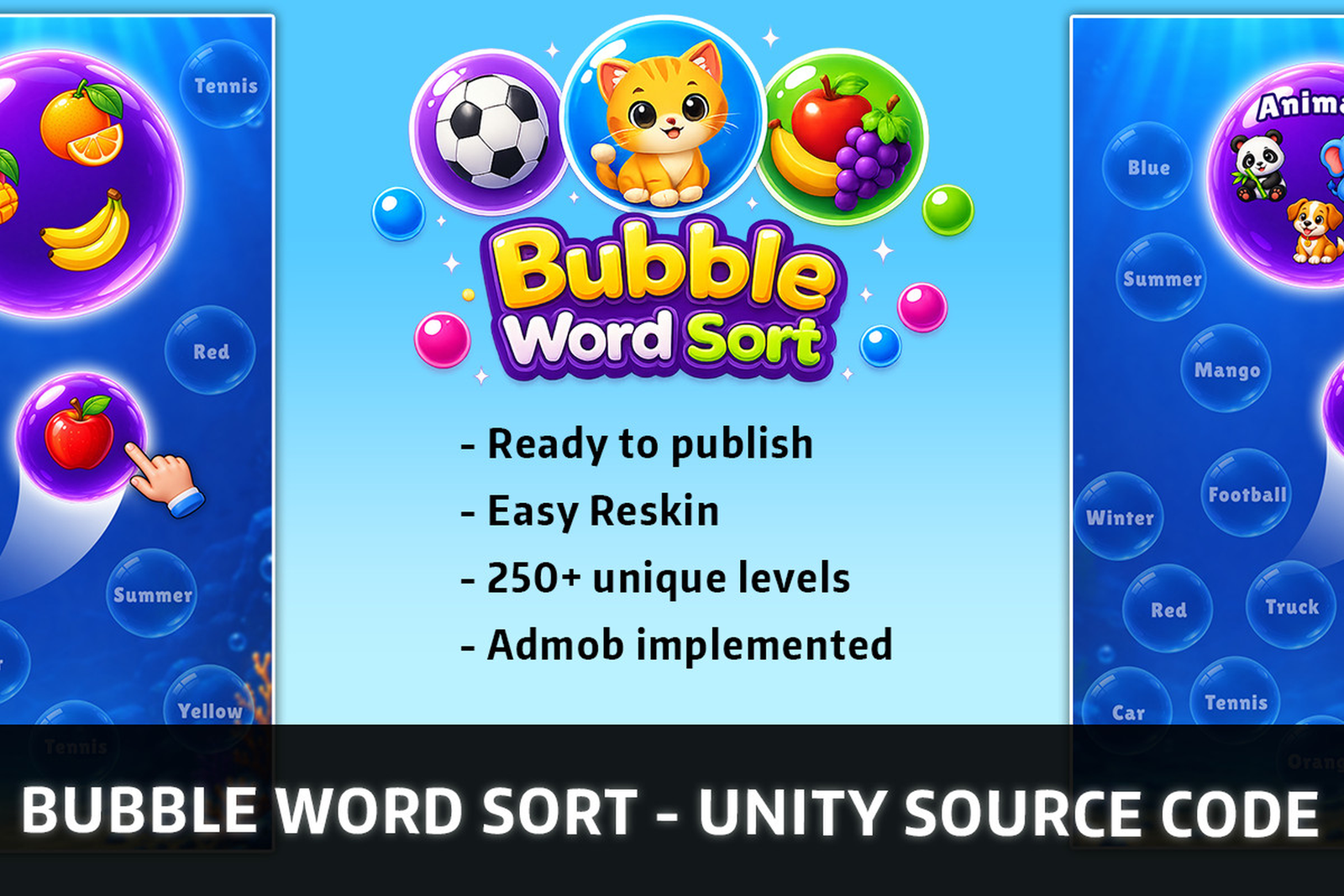
Bubble Word Sort Unity Source Code – Complete Word Puzzle Game with 250+ Levels
Bubble Word Sort Unity Source Code is a complete, ready-to-customize Unity word puzzle game template featuring 250+ handcrafted levels, 2,000+ word categories, 7,500+ words, powerful boosters, and integrated Google AdMob advertising.
Develop your own mobile word sorting puzzle game with an organized Unity project designed for easy customization, reskinning, and publishing.
The template includes a polished user interface, smooth gameplay flow, sound effects, background music, particle effects, and a built-in content management system.
With CSV-based word editing, a CSV-to-JSON conversion tool, and inspector-based game settings, developers can customize the game without manually rewriting its core gameplay code.
Whether you’re an independent developer, a beginner learning Unity, or a publisher looking for a ready-made puzzle game, Bubble Word Sort provides a convenient starting point for your next mobile project.
Try the game before purchasing:
Download Bubble Word Sort Android Demo APK
Table of Contents
- Bubble Word Sort Unity Source Code Overview
- Key Features
- Word Sorting Puzzle Gameplay
- 250+ Handcrafted Puzzle Levels
- 2,000+ Categories and 7,500+ Words
- CSV and JSON Content Management
- Hint and Magnet Boosters
- Google AdMob Integration
- Privacy Consent System
- Easy Reskinning and Customization
- Clean Unity Project Architecture
- What’s Included
- Who Should Buy This Game Template?
- Requirements and Setup
- Frequently Asked Questions
Bubble Word Sort Unity Source Code Overview
The Bubble Word Sort Unity Source Code offers a word-based sorting puzzle experience where players identify relationships between words and organize matching bubbles into their correct categories.
The game combines vocabulary recognition, logical thinking, and category matching to create an entertaining puzzle experience.
Instead of developing an entire word puzzle game from scratch, developers can start with a complete project containing the essential gameplay, interface, audio, effects, and monetization systems.
The project features more than 250 handcrafted levels, providing a substantial collection of playable content.
It also includes an extensive word database with more than 2,000 categories and 7,500 words, giving developers the flexibility to expand and customize game content.
The game is built with Unity version 6000.0.60f1 and uses an organized project structure designed to simplify maintenance and customization.
Key Features of Bubble Word Sort Unity Source Code
This Unity word puzzle game template includes the following features:
- 250+ Handcrafted Levels: A large collection of word sorting puzzles.
- 2,000+ Word Categories: Extensive category content for gameplay customization.
- 7,500+ Words: A substantial word database included with the project.
- Complete Unity Source Code: Full project files for development and customization.
- Polished User Interface: Clean visual design and complete game UI flow.
- Hint Booster: Highlights two matching bubbles to help players find a valid pair.
- Magnet Booster: Automatically merges bubbles belonging to one complete category.
- Google AdMob Integration: Banner, interstitial, and rewarded advertisement support.
- Privacy Consent Flow: Automatic consent handling for supported EEA and US privacy requirements.
- CSV-Based Editing: Edit word categories and content through CSV files.
- CSV-to-JSON Converter: Built-in tool for converting content into game-ready JSON data.
- Inspector-Based Settings: Customize supported game configurations inside Unity.
- Sound and Music: Included sound effects and background music.
- Particle Effects: Visual effects that enhance gameplay interactions.
- Easy Reskinning: Change game assets and branding.
- Organized Architecture: Well-structured project files designed for easier development.
These systems make the template suitable for creating a customized word puzzle game while reducing the amount of initial development work.
How to Play Bubble Word Sort
Bubble Word Sort is based on a category-matching puzzle mechanic.
Players examine the words displayed inside bubbles and identify which words belong to the same category.
The objective is to recognize matching relationships and combine the correct word bubbles to complete each puzzle.
Basic Gameplay
- Examine the words displayed inside the bubbles.
- Identify words that belong to the same category.
- Match the related bubbles to progress through the puzzle.
- Complete the required word categories to clear the level.
- Use available boosters when a puzzle becomes challenging.
- Continue progressing through the included levels.
The game encourages players to use vocabulary knowledge, observation, and logical thinking.
Its straightforward puzzle concept makes it accessible to a broad audience of casual word game enthusiasts.
250+ Handcrafted Word Puzzle Levels
The Bubble Word Sort game template includes more than 250 handcrafted levels.
Each level contributes to the game’s word sorting experience and provides players with additional category-matching challenges.
Creating a large collection of word puzzles manually can be time-consuming, particularly when developers need to prepare word lists, categories, and gameplay content.
This template provides an existing level collection, allowing developers to focus more on customization, branding, and publishing.
The included levels also offer a useful foundation for developers who want to create additional content using the supplied editing tools.
2,000+ Categories and 7,500+ Words
One of the most valuable features of the Bubble Word Sort Unity Source Code is its extensive word content library.
The project includes:
- More than 2,000 word categories.
- More than 7,500 words.
- More than 250 handcrafted levels.
The category and word database provides a strong foundation for creating varied word puzzles.
Developers can modify the existing content, introduce new categories, or prepare additional word combinations using the included content management workflow.
This flexibility is especially useful for developers planning to customize the game’s vocabulary, themes, or puzzle content.
Easy CSV and JSON Content Management
The template includes a convenient content management system designed to simplify editing words and categories.
You don’t need to manually modify the game’s core code each time you want to update word content.
Step 1: Edit the CSV File
Open the included CSV file and update the available categories and words.
You can add new entries, modify existing word lists, or prepare customized category content.
Step 2: Use the CSV-to-JSON Tool
The project includes a built-in CSV-to-JSON conversion tool.
After updating the CSV content, use the converter to prepare the JSON data required by the game.
Step 3: Import the Content into Unity
Import the generated data into the Unity project according to the included documentation.
This workflow makes it easier to manage a large vocabulary database and customize game content.
The CSV and JSON system is particularly beneficial for developers who want to expand the word collection without rebuilding the entire game.
Built-In Hint and Magnet Boosters
The Bubble Word Sort Unity Source Code includes two gameplay boosters designed to help players solve challenging puzzles.
Hint Booster
The Hint Booster highlights two matching bubbles.
This helps players identify a valid pair when they are unsure which words belong together.
The booster provides useful assistance while preserving the core word matching experience.
Magnet Booster
The Magnet Booster automatically merges all bubbles belonging to one complete category.
Instead of manually identifying and combining every matching bubble in that category, players can use the magnet to simplify their progress.
Bubble Word Sort game template, Unity word puzzle source code, word sorting game Unity, Unity puzzle game template, ready-made Unity game, Unity 6 source code, Unity AdMob game template, CSV JSON Unity game, Unity mobile word game.
These boosters add gameplay variety and provide additional options for players who need assistance with difficult puzzles.
Google AdMob Integration
The project includes Google AdMob integration, giving developers access to common mobile game advertising formats.
Banner Advertisements
Banner advertisements provide an option for displaying advertising content in supported game interface placements.
Interstitial Advertisements
Interstitial advertisements can be displayed during suitable transitions in the game flow.
Rewarded Advertisements
Rewarded advertisements allow developers to create optional advertising experiences connected to supported in-game rewards.
The included AdMob integration provides a foundation for monetization, although developers must configure their own advertising credentials and verify the integration before publishing.
For additional setup information, visit the official Google AdMob Documentation.
Important: Advertising revenue is not guaranteed. Actual performance depends on traffic, user engagement, geographic location, ad demand, and other factors.
Automatic Privacy Consent Flow
The template includes an automatic privacy consent flow designed for EEA and US users.
Privacy consent handling is an important part of mobile advertising integration, particularly when using personalized advertising technologies.
The included system helps developers manage consent-related interactions as part of the game’s advertising setup.
However, developers must still configure the relevant privacy settings, review current legal and platform requirements, and verify the consent implementation for their target markets.
For more information, refer to the official Google User Messaging Platform Documentation.
The presence of a consent system does not automatically guarantee compliance with every applicable privacy law.
Easy Reskinning and Game Customization
Bubble Word Sort is designed to support developers who want to create their own branded version of the game.
The project includes organized files and inspector-based settings that make common customization tasks easier.
Depending on the game elements being modified, developers can customize:
- Game name and branding.
- Graphics and visual assets.
- Word categories and vocabulary.
- Sound effects and background music.
- Supported inspector-based game settings.
- Advertising credentials and configuration.
- Application icon and store listing assets.
- Supported user interface elements.
The included content management tools are especially useful when creating customized word collections.
Developers can prepare their own game identity while keeping the existing gameplay framework as a foundation.
Clean and Organized Unity Project Architecture
The Bubble Word Sort Unity Source Code is supplied as a well-structured Unity project.
Organized project architecture makes it easier to understand the relationship between gameplay systems, user interface components, content files, and supporting features.
This is useful for beginners who want to explore an existing Unity project and experienced developers who want to modify or extend the game.
The project includes inspector-based settings and separate content management tools, reducing the need to edit gameplay scripts for routine content changes.
Developers should still review the supplied scripts, dependencies, and project settings before making major modifications.
What’s Included in the Game Template?
Purchasing the Bubble Word Sort Unity Source Code provides access to the supplied game project and its included systems.
Package contents:
- Complete Unity game source code.
- 250+ handcrafted puzzle levels.
- 2,000+ word categories.
- 7,500+ included words.
- Complete game UI flow.
- Sound effects and background music.
- Particle effects.
- Hint Booster.
- Magnet Booster.
- CSV-based word and category editing.
- Built-in CSV-to-JSON conversion tool.
- Inspector-based game settings.
- Google AdMob integration.
- Banner, interstitial, and rewarded advertisement support.
- Automatic privacy consent flow.
- Organized project architecture.
These features provide a complete starting point for customizing and preparing a word sorting puzzle game.
Who Should Buy This Unity Word Puzzle Template?
This project is suitable for several types of developers.
Independent Unity Developers: Build on an existing word puzzle game rather than creating the entire gameplay system from scratch.
Mobile Game Publishers: Customize a ready-made word sorting game with included content and advertising integration.
Beginner Unity Developers: Explore a structured Unity project and learn from its existing systems.
Game Reskinning Developers: Update branding, visual assets, and word content to create a customized game.
Development Studios: Use the source code as a foundation for prototyping or further game development.
The combination of content editing tools, puzzle levels, and monetization features makes this template a practical resource for mobile game development.
Unity Requirements and Setup
Before opening the project, make sure your development environment meets the requirements.
Required Unity Version
Unity 6000.0.60f1
Use the specified Unity editor version for the best initial compatibility with the supplied project.
DOTween Plugin
The project requires DOTween to be configured.
Follow the included documentation to install and set up the required DOTween dependency.
DOTween is a widely used Unity tweening and animation library.
You can find additional information on the official DOTween website.
Additional Requirements
- A Windows or macOS computer capable of running Unity.
- Appropriate Unity platform build modules.
- Android Build Support for Android builds.
- Your own Google AdMob account for advertising configuration.
- A Google Play Console account for publishing on Google Play.
- Store graphics, privacy information, and other publishing materials.
Before releasing your game, test the application on your intended devices and verify compatibility with current app store requirements.
Frequently Asked Questions
What is Bubble Word Sort Unity Source Code?
Bubble Word Sort Unity Source Code is a complete Unity word sorting puzzle game template featuring 250+ levels, 2,000+ categories, 7,500+ words, boosters, and AdMob integration.
How many levels are included?
The project includes more than 250 handcrafted word puzzle levels.
Can I add my own words and categories?
Yes. You can edit the included CSV file and use the built-in CSV-to-JSON tool to prepare customized game content.
Does the game include boosters?
Yes. The game includes a Hint Booster that highlights two matching bubbles and a Magnet Booster that merges all bubbles belonging to one complete category.
Is Google AdMob integrated?
Yes. Google AdMob integration is included with banner, interstitial, and rewarded advertisement support.
Does the game include privacy consent handling?
Yes. The template includes an automatic privacy consent flow for supported EEA and US requirements. Developers must verify the final configuration and applicable compliance requirements.
Which Unity version is required?
The specified project version is Unity 6000.0.60f1.
Do I need to install DOTween?
Yes. DOTween must be configured according to the included documentation.
Can beginners customize this project?
Yes. The organized architecture, CSV-based editing workflow, and inspector settings are designed to make routine customization more accessible.
Can I publish the game on Google Play?
The project is intended for customization and publishing. You must configure your own app details, advertising credentials, build settings, and store requirements before submitting it for review. Store approval is not guaranteed.
Explore More Unity Game Source Code
Looking for more Unity puzzle game templates?
Explore the collection of ready-made Unity projects at Assets4Unity.
Discover other puzzle and sorting game templates:
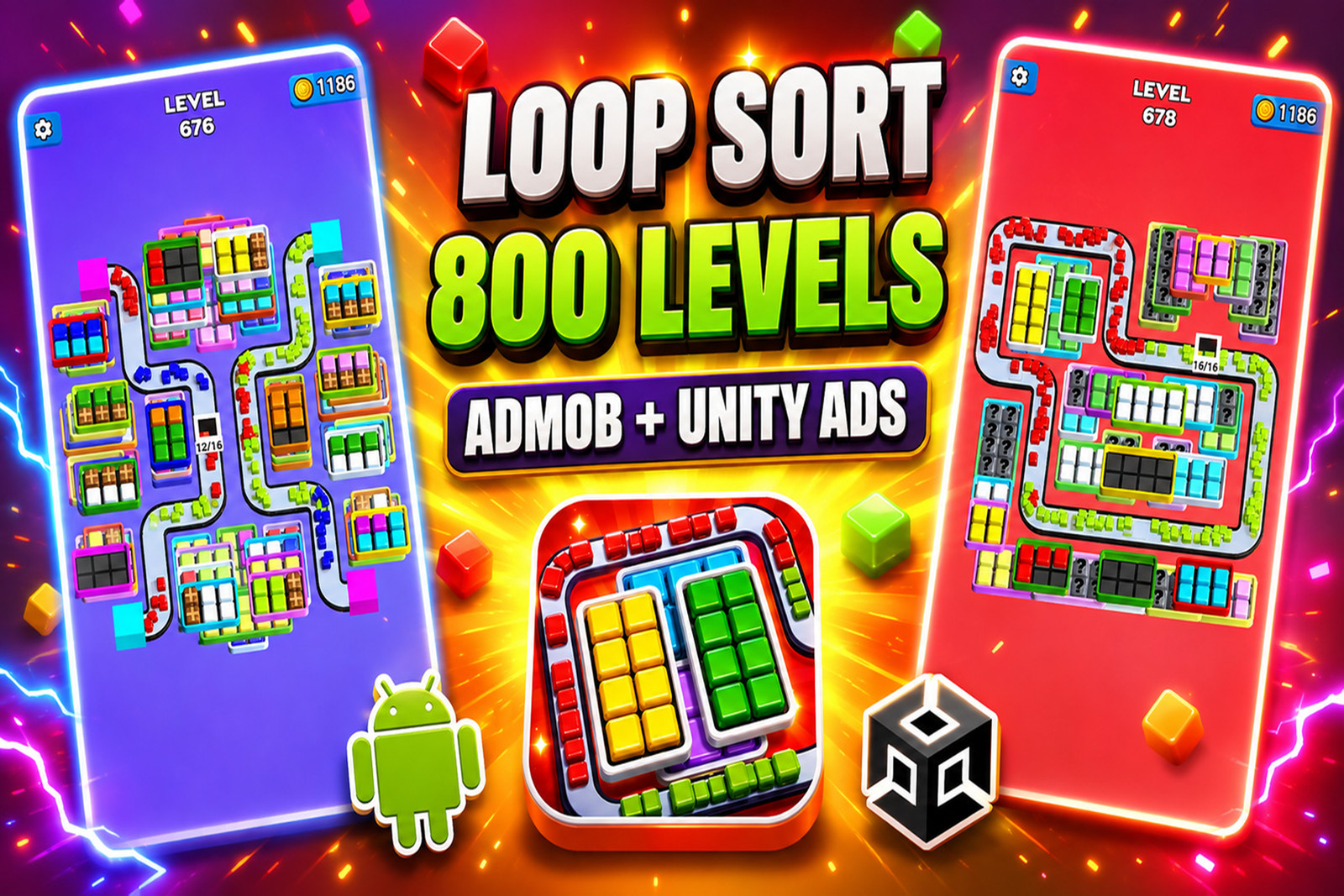
- Loop Sort 3D Unity Source Code
- Blast Sort 3D Unity Source Code
- Category Sort Puzzle Unity Source Code
- Browse More Unity Puzzle Games
Get Bubble Word Sort Unity Source Code Today
The Bubble Word Sort Unity Source Code provides a convenient starting point for developing your own word puzzle game.
With 250+ handcrafted levels, an extensive word database, easy CSV and JSON content management, integrated boosters, and AdMob support, the template helps reduce initial development work.
Customize the project, create your own visual identity, configure the required integrations, and prepare your game for mobile publishing.
Get Bubble Word Sort Unity Source Code from Assets4Unity and start building your own word sorting puzzle game.
Related Products
Same Contributor


Featured Products